Owltofinance SDK combines pair discovery, transaction building and receipt lookup for app integrations
Last updated -
Owltofinance SDK gives cross-chain applications methods to discover supported pairs, build wallet transactions and retrieve bridge receipts. Aggregators, cross-chain swap services and decentralized exchanges can use it to add bridge functionality within an app. Executing a transfer requires a supported token-and-network pair, source-chain signing and a separate check of the destination transaction.
The library uses the
owlto-sdk
package and exposes a
Bridge
class. A route browser can stop at pair discovery, while an embedded bridge flow also needs wallet execution and receipt handling.
Key takeaway: Transfer integrations use the source transfer hash to connect wallet execution with the destination transaction named in a bridge receipt.
Supported pairs set the boundary for app integrations
A strong fit is an app adding bridge functionality for token-and-network combinations the service supports. Before sending a transfer, confirm the selected pair is supported and the amount falls within its returned bounds. A token's ticker or a network's presence elsewhere in the platform doesn't establish a particular pair.
The SDK's EVM execution path provides transaction bodies a wallet can send. Keep that interface coverage separate from the wider protocol's network claims. The
NetworkType
enum includes Ethereum, Starknet, Solana and Bitcoin categories. Those names distinguish network families; they don't prove each family has an equivalent transaction-building implementation. Integration suitability rests on the methods and transaction formats available for the selected pair.
Initialize
Bridge
with a
BridgeOptions
object. An empty object is sufficient when the integration doesn't configure a channel or chain aliases.
Wallet authorization and destination evidence
A transfer integration needs a wallet capable of sending the built transactions on the source network. Its transfer record also needs the source transfer hash, which receipt methods use to identify the bridge operation.
Source-chain signing
Before the wallet signs and broadcasts the returned transaction bodies, keep enough of the source network's gas token for wallet interaction. In the SDK's EVM token flow, a required approval precedes the transfer. Each action has its own transaction record, so a successful approval records permission to spend the token.
Destination confirmation
A source confirmation establishes the source action's state. Cross-chain completion needs the bridge receipt and the destination transaction it identifies. Keep the source transfer hash available for subsequent lookups; the approval hash belongs to a different action. An app can preserve both records without treating their confirmations as equivalent outcomes.
Pair discovery for route selectors
getAllPairInfos()
returns supported pairs, and
getPairInfo()
requests details for one token, source chain and destination chain. Use the list to populate available combinations, then retain the selected pair's properties when preparing a transfer. Pair information includes chain identifiers, token addresses, token decimals and the bridge contract address. It also carries minimum and maximum values. These properties identify the actual assets involved on each chain. A displayed ticker alone doesn't describe a token contract or its decimal scale. Available pairs and amount bounds are response data, so a saved menu entry shouldn't become a permanent compatibility claim.
Transaction building for wallet-driven bridge actions
getBuildTx()
returns the transactions an application asks its wallet to send on the source chain. The request includes the selected token, network direction, amount and source and destination addresses.
Approval when allowance is insufficient
For the EVM token flow,
txs.approveBody
contains an approval transaction when one is necessary. The field can be null when the existing allowance is sufficient. Send a returned approval before
txs.transferBody
and wait for the approval's successful execution, following the supported execution order. This keeps the required spending permission in place before the app requests the
token transfer.
The transfer transaction
txs.transferBody
contains the actual source-chain transfer. The app submits that body through its wallet and retains its transaction hash for bridge tracking. The EVM integration uses transaction objects suitable for Ethers. The response also contains
networkType
. Check interface support and transaction format for the selected network family before applying EVM execution code to its response.
Amounts and limits in application forms
BridgeValue
keeps a display amount beside its raw representation and decimal scale. Its fields are
uiValue
,
rawValue
and
decimals
. Preserve those relationships when storing limits, quotes and receipts. Formatting a value for display shouldn't overwrite the original amount your app uses for checks. A raw token value needs its associated decimal scale to make sense.
The transaction-building response distinguishes
inputValue
,
sendValue
and
receiveValue
, alongside
minValue
and
maxValue
. Show each amount in the role the response assigns it. A user's entered value and a destination quote aren't interchangeable labels. Pair queries and transaction building accept the
valueIncludeGasFee
flag with a default of
false
. Retain that setting with the response so later calculations don't lose its request context. A completed receipt returns separate sent and received values for reconciliation.
Displaying bridge costs alongside wallet gas
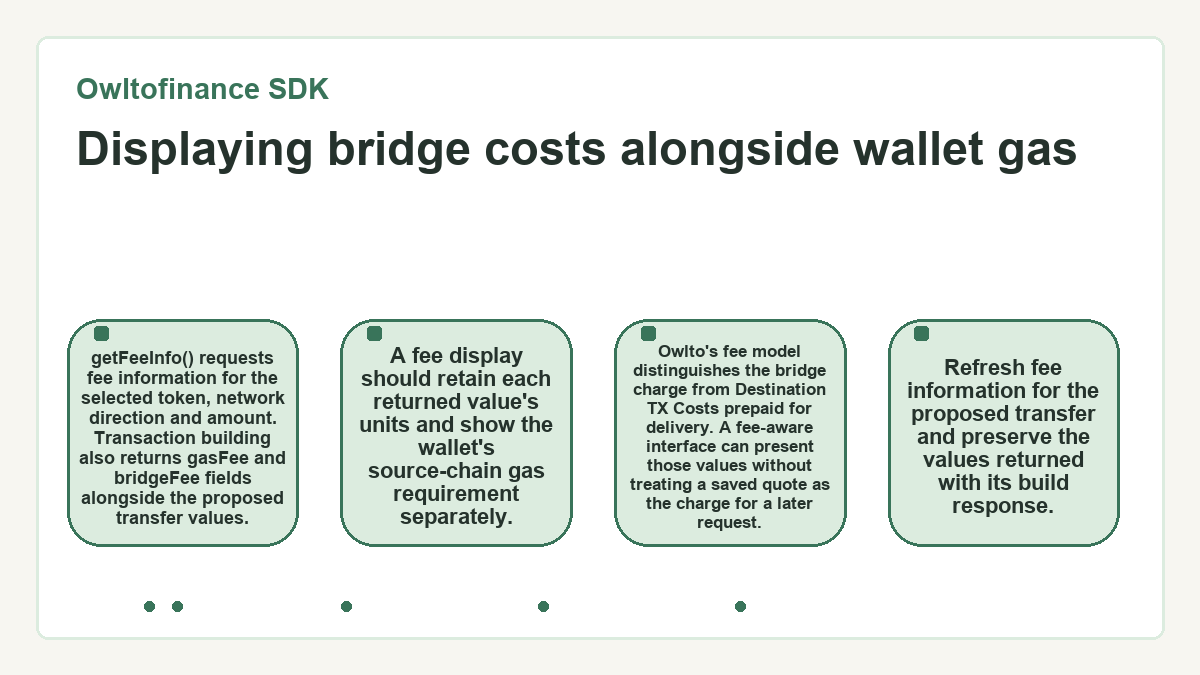
getFeeInfo()
requests fee information for the selected token, network direction and amount. Transaction building also returns
gasFee
and
bridgeFee
fields alongside the proposed transfer values. A fee display should retain each returned value's units and show the wallet's source-chain gas requirement separately. Owlto's fee model distinguishes the bridge charge from
Destination TX Costs
prepaid for delivery. A fee-aware interface can present those values without treating a saved quote as the charge for a later request. Refresh fee information for the proposed transfer and preserve the values returned with its build response.
Receipts for transaction history and reconciliation
getReceipt()
connects the source transfer hash to a bridge result containing the destination hash and reported transfer values. That relationship supports transaction history and delivery reconciliation within an app.
Lookup identifiers
The method takes
fromChainHash
, the hash of the actual transfer transaction. Its response includes
toChainHash
,
userSendValue
and
userReceiveValue
, plus token addresses for both chains. Store those fields with the selected network direction so a destination hash stays attached to the right transfer. A quoted
receiveValue
remains separate from the amount the receipt reports.
Matching destination records
A successful receipt response includes the destination transaction hash. That hash identifies the transaction to inspect on the destination chain. Check its execution status and relevant asset movement when confirming delivery.
How does waitReceipt handle a transfer that's still processing?
waitReceipt()
waits five seconds between receipt requests and continues polling when the service reports
BridgeStatusBridgeProcessing
.
BridgeStatusTxNotFound
also triggers retries within the method's bounded retry allowance. Other API errors reach the caller.
Processing responses have no built-in retry limit in this Bridge implementation. Each status request also takes network time. An app using this helper needs to decide how it presents an extended pending state and handles interruption. To set your own retry limit, poll with getReceipt(). Treat any application-level timeout as interface policy; it doesn't establish a bridge settlement deadline.
Error handling for unsupported requests and failed transfers
Unsupported inputs, an amount outside the pair's bounds and a failed bridge process require different responses. The SDK's
BridgeStatus
enum separates these conditions, which helps an application keep input correction apart from delivery tracking.
BridgeStatusNoPair
concerns the selected token-and-chain combination. Chain and token support errors identify compatibility problems, while
BridgeStatusValueOutOfRange
concerns the requested amount.
BridgeStatusBridgeFailed
reports a failed process;
BridgeStatusHttpError
names the enum's HTTP-error status. The transport wrapper throws a plain Error on HTTP request failure, so that failure has no ApiError.status. Preserve API statuses where available and handle transport failures separately in logs and user-facing messages. A connection problem doesn't establish the state of a previously submitted transfer. Give a failed bridge process a different message from an unsupported pair.
Choosing between submission and another receipt lookup
The application should submit a transfer only after establishing pair support and required source authorization. Once a source transfer hash exists, receipt status determines whether to continue tracking or handle a completed or failed bridge.
The current pair response supplies the amount bounds, while a receipt response describes the bridge's reported state.
- If the pair is unsupported or the amount is out of range, stop before submission and correct the input.
- If an approval body is present for a supported request, wait for that approval to succeed before sending the transfer body.
-
When allowance is sufficient and
approveBodyis null, proceed with the transfer body after the other checks. - For an existing transfer hash reported as processing, continue receipt lookup without creating a replacement transfer.
-
After a successful receipt, attach
toChainHashto the original transfer and inspect the receiving-chain transaction. - If the receipt reports a failed bridge, preserve the source hash and error status for investigation.
Application aliases and direct HTTP integration
The JavaScript SDK wraps bridge API requests, while direct HTTP integration addresses the same documented endpoint family. Direct HTTP can fit better when an app already manages API requests, field names and statuses itself.
An app using JavaScript or TypeScript can call the
Bridge
methods through
owlto-sdk
. The wrapper maps configured chain aliases before relevant queries and converts returned API statuses into SDK behavior. A direct HTTP client sends API chain identifiers and handles wire-format fields and statuses itself; alias mapping is optional. Endpoint names such as
get_build_tx
and
get_receipt
identify transaction construction and receipt lookup. Both interfaces leave wallet execution to the application when it needs to send the returned transaction.
Applications with their own chain labels can provide a
chainNameMapping
Map from those labels to SDK identifiers. The wrapper uses the original name when no mapping exists. Configure aliases for pair, fee and transaction-building calls so those methods send the intended chain name. A mapping can associate the app's
Base
label with the SDK identifier
BaseMainnet
.
What readers ask about Owltofinance SDK
Can I install Owltofinance SDK through npm or Yarn?
The SDK's package name is owlto-sdk for both npm and Yarn. Use npm install owlto-sdk --save or yarn add owlto-sdk. These commands install the library; the application's wallet execution and bridge tracking remain separate integration work.
Does getAllPairInfos require a category argument?
The category argument is optional in the Bridge implementation. When the caller leaves it out, the wrapper passes an empty string to the pair-info request. The parameter is separate from tokenName, fromChainName and toChainName, which identify an individual pair.
Why do SDK calls use camel case when the HTTP interface uses snake case?
The request wrapper converts camel-case fields into snake case before sending an API request. It converts responses back into camel case for SDK consumers. This explains the naming difference between SDK fields and wire data; a direct HTTP client needs to handle the API-facing representation itself.
What value does the channel option use when I leave it unset?
The wrapper uses channel 0 for transaction building when the caller hasn't supplied a value. BridgeOptions accepts a channel setting, and getBuildTx passes it to the API request. An explicitly supplied value takes precedence over the fallback.
Are amount arguments the same type in getFeeInfo and getBuildTx?
The typed Bridge interface defines uiValue as a number for getFeeInfo and a string for getBuildTx. Use each method's declared type in a TypeScript integration. Returned BridgeValue objects carry string representations independently, so a request argument and a response value have different type contracts.
Where can my application read an ApiError's original status?
An ApiError exposes its status object, which contains the API's numeric code and message. The request wrapper throws that error when an API result has a nonzero status code. Keeping those properties lets application code distinguish the returned condition without relying on the formatted error string.
Can I set a different recipient address in getBuildTx?
getBuildTx accepts separate fromAddress and toAddress arguments, so the recipient doesn't have to match the sender. Both arguments are required by the method's signature. Supply an address appropriate for the destination network and keep that recipient attached to the application's transfer record.